Your laptop and phone working as one
Copy on one and paste on the other. Send files, use the phone as the laptop’s webcam, mic or screen, and unlock it with your fingerprint. Sign in with Google on both, and they work as one.
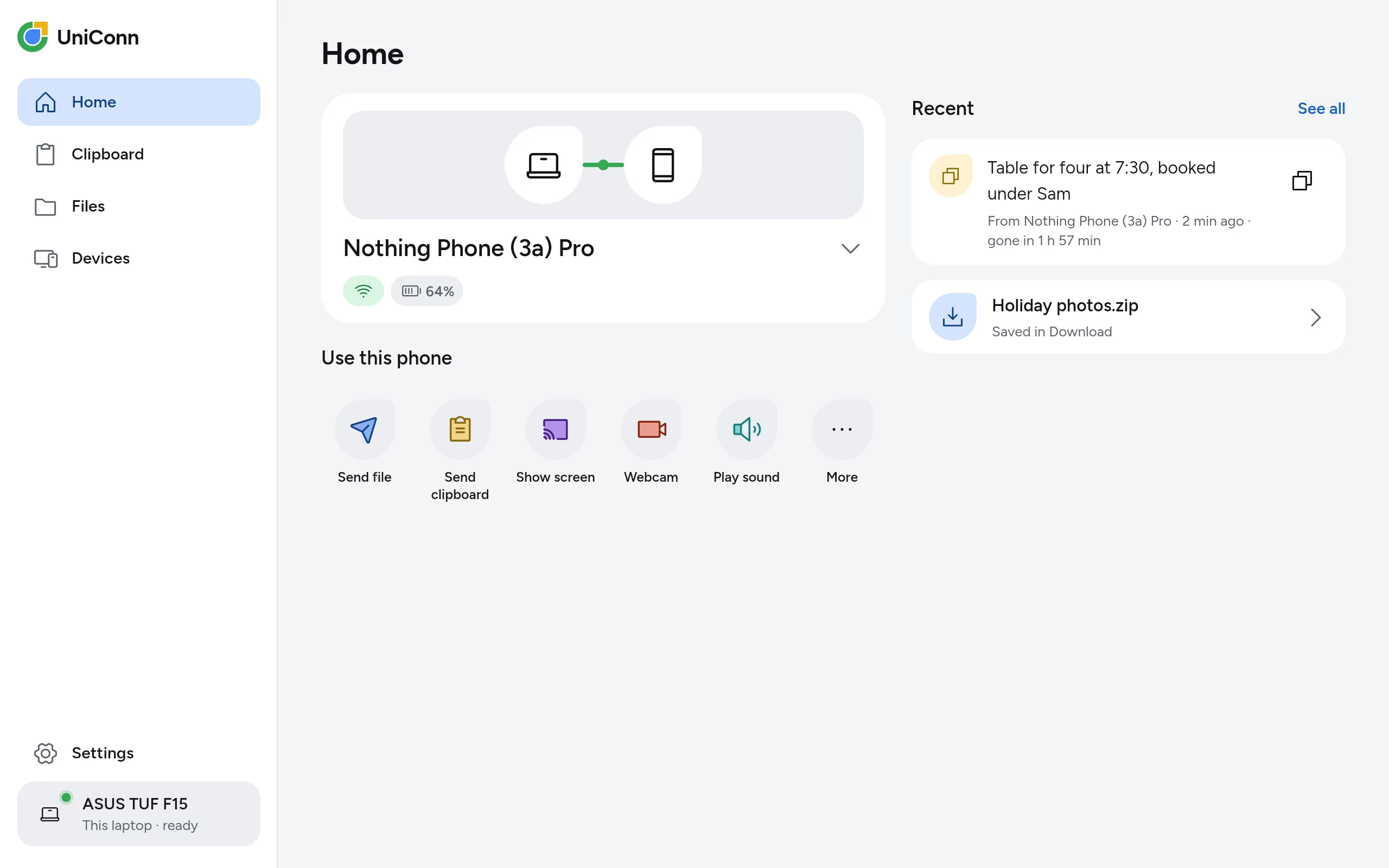
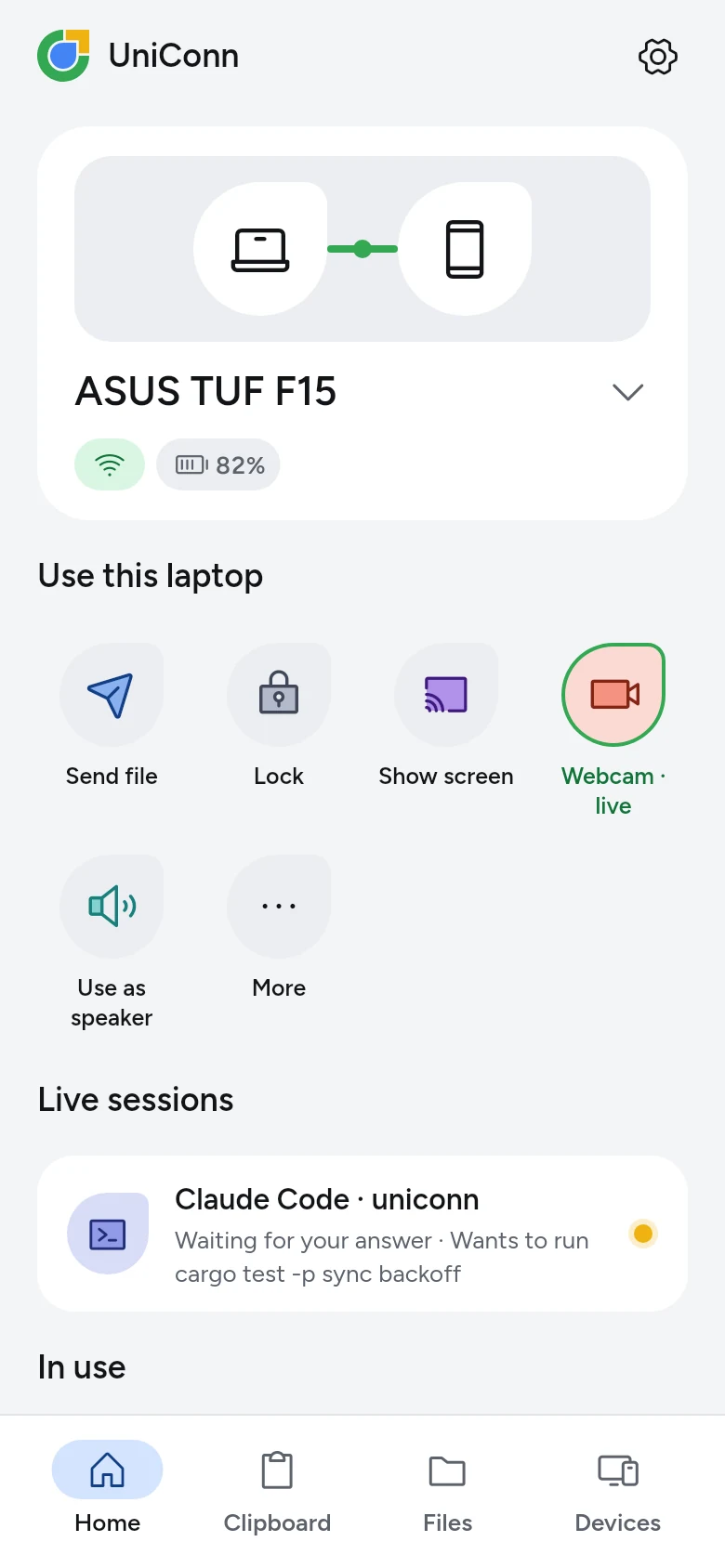


Everything your two devices should already do
Each one works today on the tested phone and laptops, and says plainly where it is still being tested.
Copy on one. Paste on the other.
Text and pictures. On the laptop every copy goes by itself; on the phone, one tap on Share in Android’s copy pop-up.
Works todayYour phone is the webcam.
Its camera in any video call on the laptop: Meet, Zoom, Teams.
Works todayFiles, both ways.
Share from any app on the phone, straight to the laptop.
Works todayUnlock with your fingerprint.
Tap Unlock on the phone, touch the sensor, and the laptop’s session opens.
Linux only, being testedYour phone, in a window you can drive.
Click to tap, drag to swipe, type into the focused field. Up to 1920 px at 60 frames a second.
Works, still being testedTalk into the phone.
The laptop’s calls hear it as their microphone. About 290 ms, room to app.
Works todayClaude Code and Codex, on your phone.
Hear when a session needs you and answer from anywhere. A terminal too.
Works todayEach other’s speaker.
The laptop’s sound on the phone, or the phone’s through the laptop.
Works todayThe laptop asks for your hotspot.
It loses its internet, your phone asks you once, and the laptop joins by itself.
Works todayAt home, or anywhere.
On the same Wi-Fi they talk directly. With Plus, the phone on mobile data still reaches the laptop at home, through a relay that cannot read anything.
Works today · PlusLock it from anywhere.
Left the laptop open? One tap on the phone locks its screen.
Works todayOne tap from the home screen.
A widget shows the laptop’s Wi-Fi and battery, with four keys you choose: send a file or a copy, lock it, start the webcam. A Quick Settings tile locks it from anywhere.
Works todayAnswer from the notification.
Camera, microphone, screen or a file: allow it or say not now without opening the app.
Works today
Three steps, then it just works
No cables, no codes to type, no settings to dig through.
- 1Install it on bothThe phone app and the laptop app: one file each, with its SHA-256 on this site.

- 2
 Sign in with Google on bothOne UniConn account, no new password. It is how your devices know they belong together.
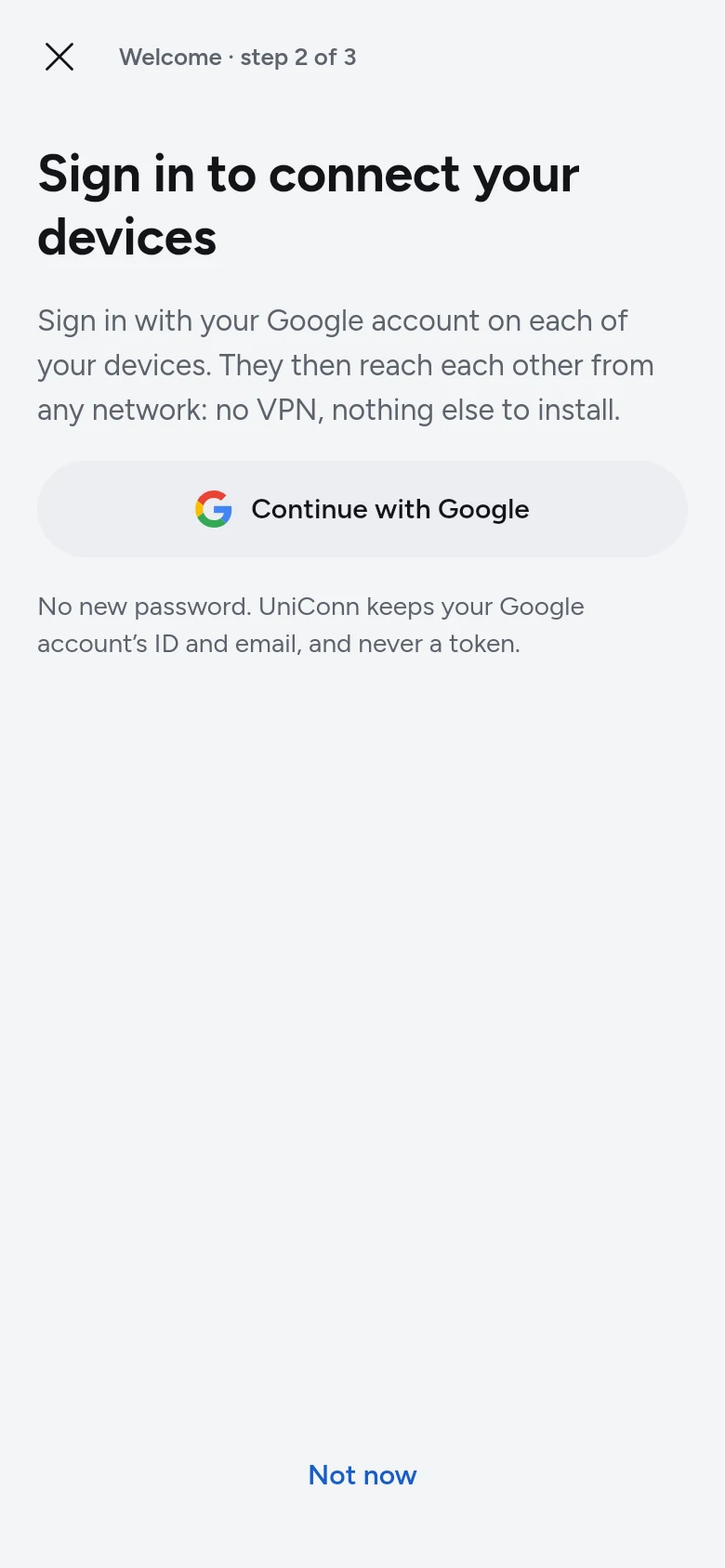
- 2
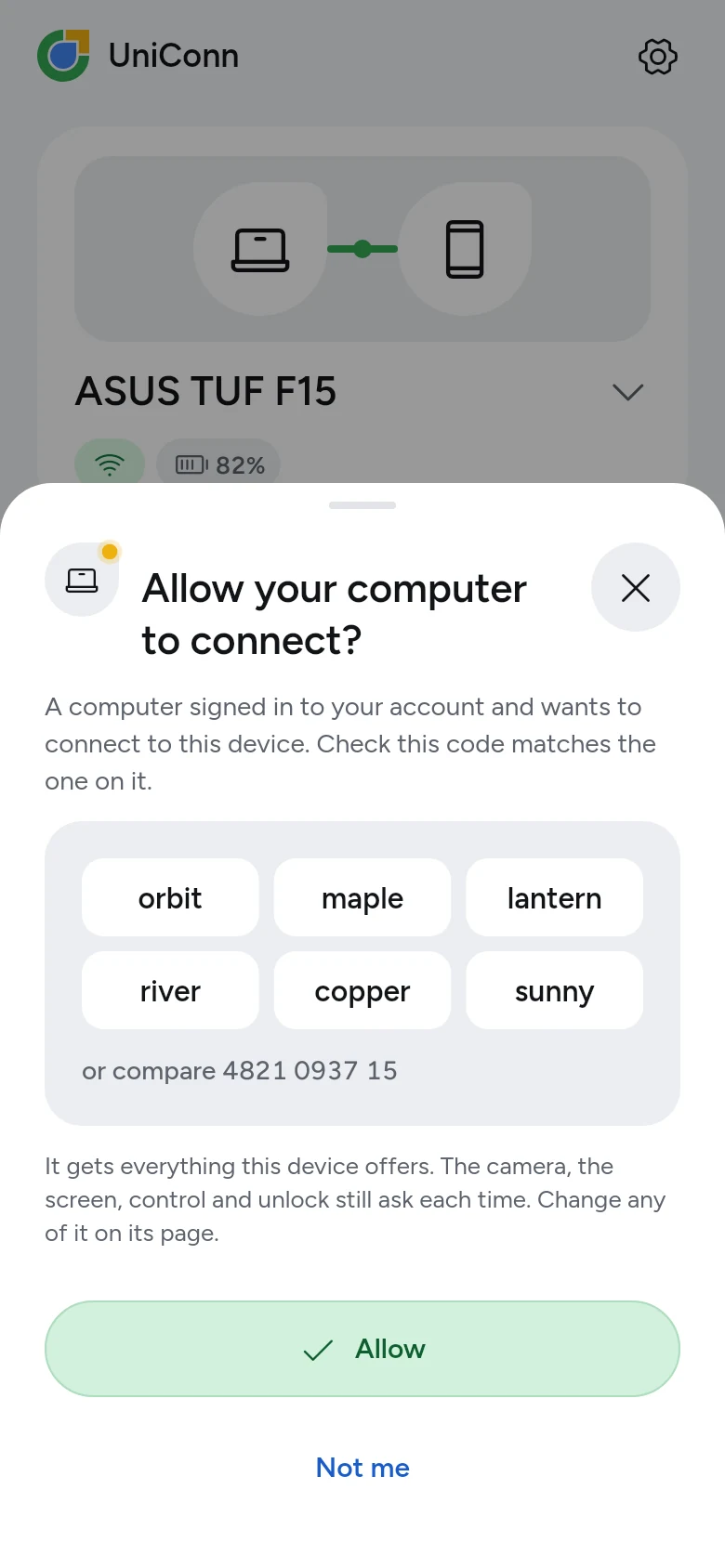
- 3Tap Allow on the one you haveIt asks “Allow your laptop to connect?” beside a code the new one shows too. Check they match, tap Allow.
Free at home. Plus everywhere.
Two devices on the same Wi-Fi get every feature, free. Plus lets your devices reach each other from any network, and holds up to 10.
Free
₹0for 2 devices, for good
Every feature, on the same Wi-Fi. No card to give.
- 2 devices on one account
- Every feature, on the same Wi-Fi
- End-to-end encryption between your devices
- No ads
Plus
First month free₹99a month, or ₹999 a year
Your devices reach each other from anywhere: mobile data, the office, another city.
- Up to 10 devices on one account
- Through the relay: 100,000 connections a month, files up to 8 MB
- Paid with UPI or a card (Razorpay); renews by itself each month or year until you cancel
- Cancel any time in the app; it stays until the end of what you paid for
Questions, answered plainly
More on the Pricing, Security and Download pages.
Do I need an account?
Yes, one UniConn account, free, which you sign in to with your Google account: no new password. It is how your devices know they belong together. Sign in on each device; the account never sees what you copy, send, play or show, which goes between your devices end-to-end encrypted.
How do my devices connect?
Sign in to the same account on both. The device you already have asks “Allow your phone to connect?” beside a code that the new one shows too: check they match and tap Allow. A third device then joins the rest by itself, with no tap. Scanning a QR code still works in person, between devices on the same account.
Is it free?
For two devices on the same Wi-Fi, yes, with every feature and no card to give. Plus is for reaching your devices from anywhere (the phone on mobile data, the laptop at home) and for up to 10 devices: ₹99 a month or ₹999 a year, bought with UPI or a card through Razorpay in UniConn on a computer, in the Android app from this website, or at network.uniconn.live/plus. New subscribers get the first month free, and the first 100 get 50% off 3 months, paid up front. Cancel any time; Plus stays until the end of what you paid for.
Does it work when I'm not at home?
Yes. On the same Wi-Fi your devices talk directly. Away from it they reach each other from any network, directly when they can and otherwise through UniConn's relay, which carries copies, notices and files up to 8 MB and cannot read any of it. The webcam, the screen, the speaker and the microphone need the same Wi-Fi or a direct connection, and their keys say so while they cannot work.
What does UniConn's server know?
Your Google account's identifier and email address, which devices are on your account, and when each last checked in. No password, and nothing of Google's but those two. While it relays, it sees the addresses of your devices and how much passes, never what: everything between your devices is end-to-end encrypted. While UniConn is in beta it also learns which app version each device runs, and the app sends crash reports and usage counts to Sentry and PostHog, never what your devices share.
Is it ready for everyday use?
It is in beta. The features on this site work on the tested devices, and the limits are listed honestly, but there has been no independent security review yet. Keep backups of anything that matters.
Get UniConn on both devices
Free for 2 devices on the same Wi-Fi, with every feature.
Linux
Debian, Ubuntu, Fedora, Arch · 28.3 MB
Android
Android 8.0 or later · 64-bit ARM · 53.8 MB APK
Windows
Windows 11, 64-bit · 25.1 MB setup